Built with blind users, not just for them

Your guide,
out loud.

An AI assistant for blind and low-vision people. It describes what is around you, guides you there, and speaks the floor you are on.
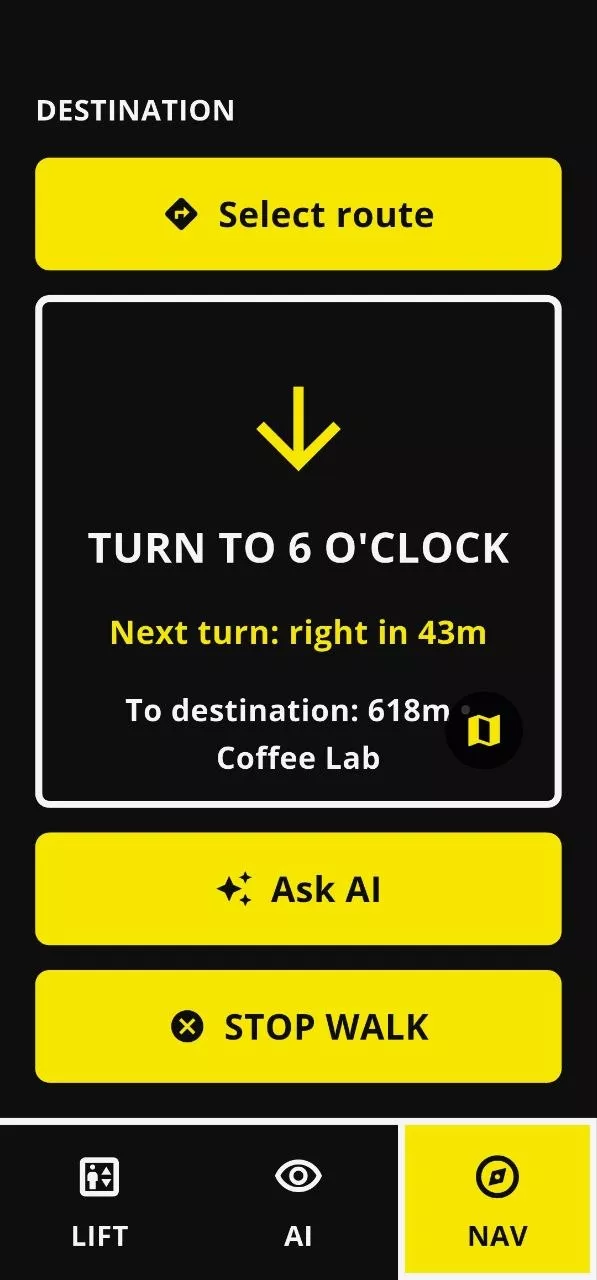
Provodyr walking guidance screen: a large down arrow, “Turn to 6 o’clock”, next turn right in 43 metres, 618 metres to Coffee Lab.
Just say “Assistant” Start talking without opening the app.
Describes what you see Point the camera, ask, listen.
Directions you can picture “Turn to 6 o’clock,” not degrees.
Tells you the floor Know where you are in a building.
Works without internet Answers still come when offline.
Does things for you Finds places, starts routes, rides elevators.
Works with your screen reader VoiceOver and TalkBack, as you know them.
Places near you Pharmacy, transit, coffee shop, bank.
In development Recognizes people Find my things Instant reading Camera glasses
Three modes, one tab bar

AI, navigation and the elevator. The three places vision is missed most.

Start with a button or just say “Assistant”, ask, and listen. Siri Shortcuts start any of the three without opening the app.

“Assistant,
what’s in front of me?”

Listening… photo taken, describing the scene.

Ask out loud. Get an answer, not a menu.

Point your camera at something and ask Provodyr about it. The AI can describe objects, surroundings, signs and text, and answer follow-up questions using the context of your recent requests.

  • Cloud or on-device. Use the cloud AI when you have a connection, or switch to the local model when you don’t. You choose which one works for you.
  • A history you can revisit. Past questions are saved together with the photos used for each request, so you can return to them later.
  • Repeat-back, if you want. Provodyr can repeat your question before answering, so you can check it understood you correctly.

Directions on the face of a clock.
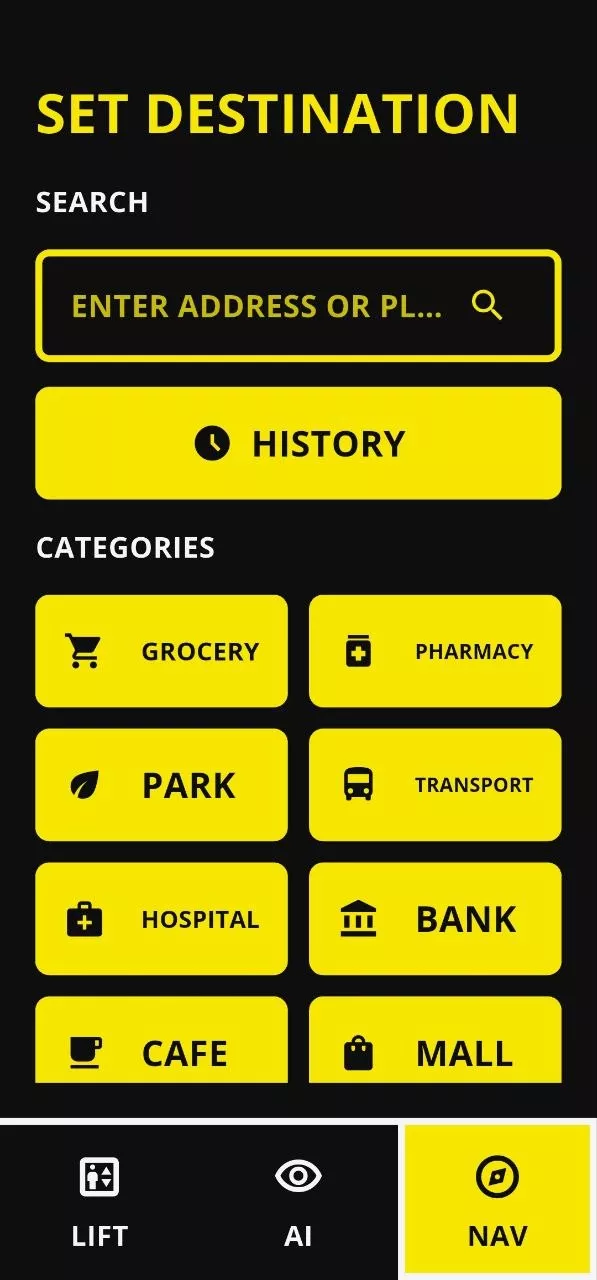
Search a place by voice or text, or browse what is nearby by category. Provodyr reads your location and compass, speaks the heading as a clock position, and rebuilds the route if you drift off it.

Set destination screen with a search field, a history button and large category tiles: grocery, pharmacy, park, transit, hospital, bank, coffee shop, mall.
Walking guidance screen showing ‘Turn to 6 o’clock’ with next turn and remaining distance.
Find it by name or type Search an address, or browse pharmacy, transport, café and bank nearby.
Spoken the whole way Distance to the next turn and to the door, with no glancing down.
Routes you have walked History puts the daily trip one tap from starting again.
Ask mid-walk “Where am I?” and “How far?” answered without stopping navigation.
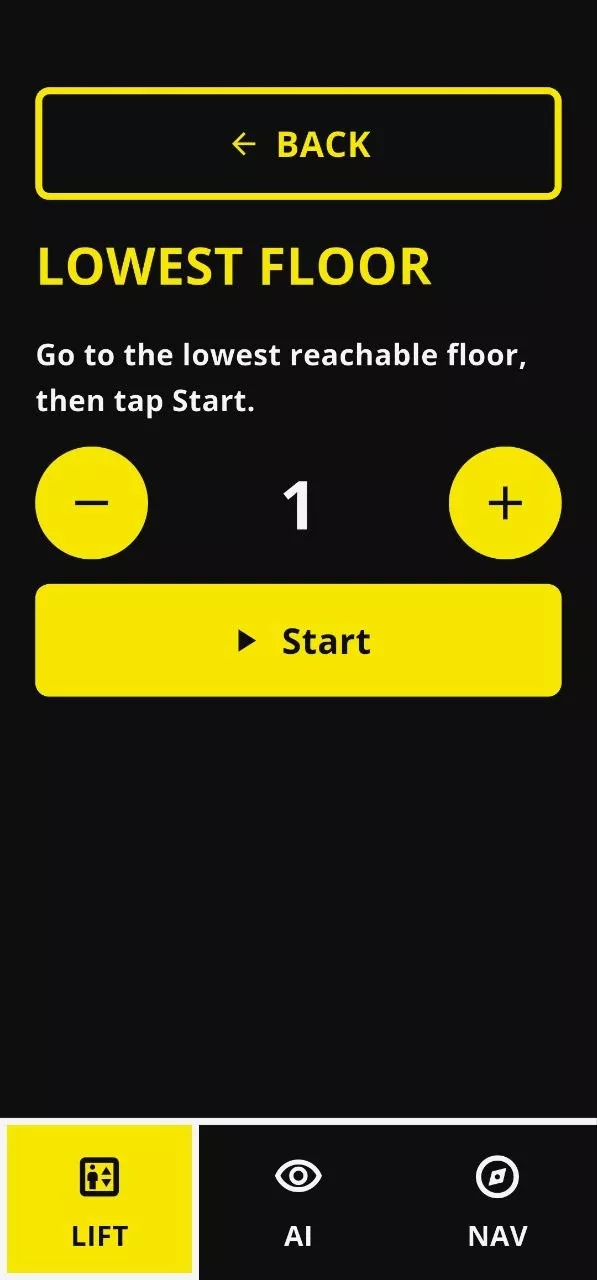
Elevator calibration step: ‘Lowest floor: go to the lowest reachable floor, then tap Start’, with big minus and plus buttons around the number 1.
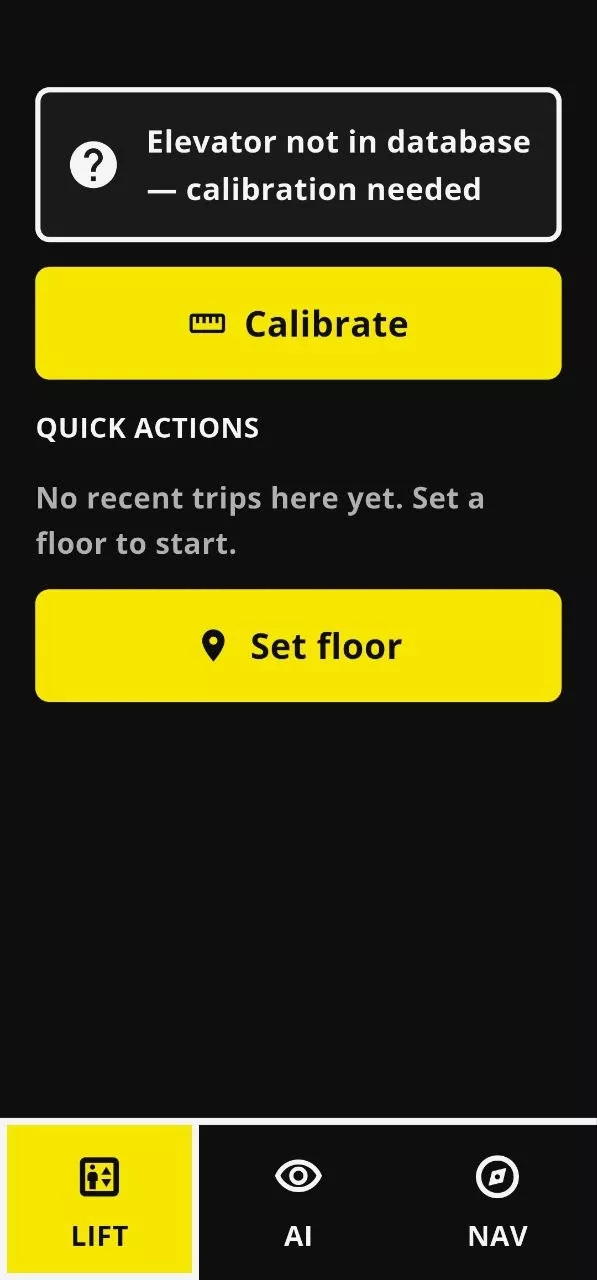
Lift tab showing ‘Elevator not in database, calibration needed’ with Calibrate and Set floor buttons.

Indoor navigation stops at the elevator.
Provodyr doesn’t.

Getting around indoors is hard when there’s no GPS and signs or announcements aren’t accessible. Provodyr uses the phone’s barometer to detect changes in elevation, identify floors, and let you know where you are as you move through a building, with voice, sound or vibration.

  • Calibrate a building once. Building profiles are saved in the cloud and can load automatically the next time Provodyr is used there.
  • Works with different building layouts. Ground floors numbered as zero, skipped floors, and buildings where floor heights vary.
  • Save frequent rides as presets. If you regularly go from the lobby to the ninth floor, save the ride and start it with one tap or a Siri shortcut.

The camera moves to your eyes.

Provodyr is built to run through camera glasses, so it sees what you face. Ask a question, hear the answer in your ear, keep the cane in one hand and the coffee in the other.
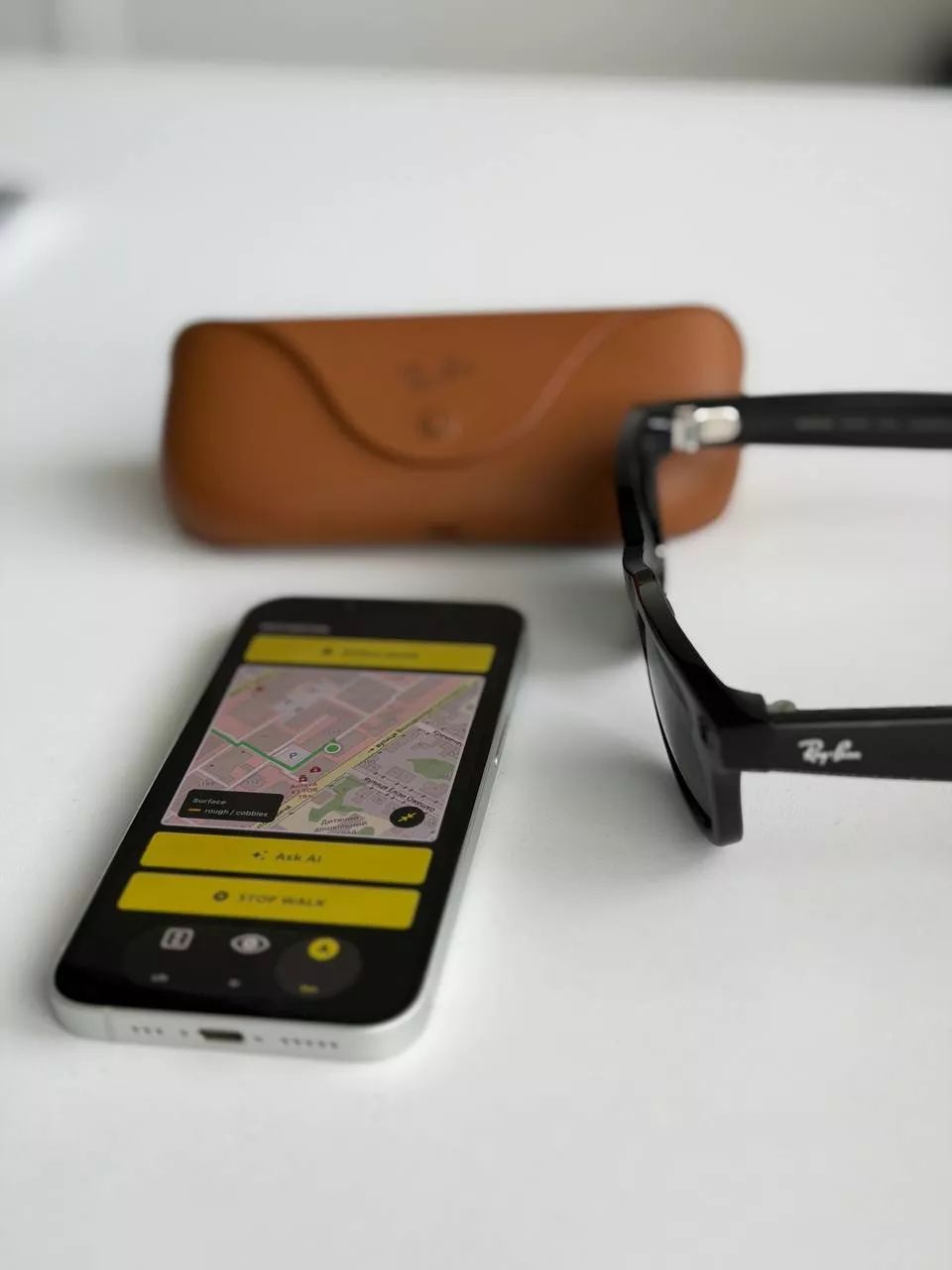
Camera glasses worn by a person
Eye level, not chest level Reading and recognition happen where you are actually looking, so signs and faces land in frame the first time.
The phone stays in your pocket Glasses carry the camera, microphone and speaker. Your phone does the thinking and holds your data.
Every mode, unchanged Ask, navigate, read and ride the elevator exactly as you do on the phone, without a screen in the way.
In development

Three more things sight does for you.

Recognizing the people you love, finding what you put down, and reading whatever is in front of you.

Know who just walked in

Provodyr can learn the faces of the people who matter (family, friends, caregivers, colleagues) and name them out loud when they come into view.

  • You enroll each person yourself, with their consent.
  • Face data stays on your phone, never in a public database.
  • Anyone you haven’t enrolled is simply “a person”.

Find my things

Scan the objects you lose most: keys, wallet, cane, remote, insulin pen. Just once. After that, Provodyr recognizes them and talks you towards them.

  • Point the camera and sweep the room; you hear “keys, slightly left, about a metre”.
  • Works with your own belongings, not just branded products.
  • No trackers to buy, charge or attach.

Instant reading

A continuous reading mode: hold Provodyr up and it reads whatever text enters the frame: letters, menus, labels, signs, receipts, screens and packaging.

  • Reads as you move, without a shutter button or a wait.
  • Keeps the layout: headings, columns and prices stay in order.
  • Runs on-device, so a private letter stays private.
Under the hood

AI that works with or without a connection.

Provodyr is built to keep working when the network isn’t reliable. Some parts of the experience run directly on your phone, while cloud AI is used when a connection is available.

01 · ON DEVICE Just say “Assistant” A local speech recogniser listens for “Assistant”, so you can start talking without opening the app or finding a menu.
02 · ON DEVICE Image processing Before an image is sent to the main AI, a local model can improve its quality and reduce how much data needs to be processed.
03 · ROUTED AI model Cloud AI when you’re online, or an on-device model when you’re offline.
04 · APP ACTIONS More than conversation The AI can work with Provodyr’s features: find a place, start navigation, calibrate an elevator, or guide you to a floor.
05 · SPOKEN Voice interaction Answers are spoken aloud, and the last three exchanges stay in context so follow-ups just work.
On-device vision processing Local speech recognition Voice synthesis Barometric floor detection Pedestrian routing Compass and sensor data Shared building profiles Request logging
Works fully offlineThe on-device AI model, local speech recognition and voice synthesis work without an internet connection: in basements, on flights, or during an outage.
Works with your screen readerFull VoiceOver and TalkBack support, with haptic feedback for buttons and controls. Use the accessibility features you already know.
Hands-free with SiriAsk Siri to start Provodyr, guide you somewhere, tell you where you are, or help with an elevator, without opening the app first.
You choose what gets loggedAI logging is optional: save text only, text together with photos, or turn logging off completely.

Built with blind users,
not just for them.

Provodyr is shaped by the experiences of blind and low-vision people, including civilians and veterans. The goal is simple: build around the situations that matter in everyday life, based on how people actually use the technology.

That approach is reflected in the details. Elevator assistance is designed around how people move through real buildings, and navigation uses familiar clock-face directions instead of degrees.
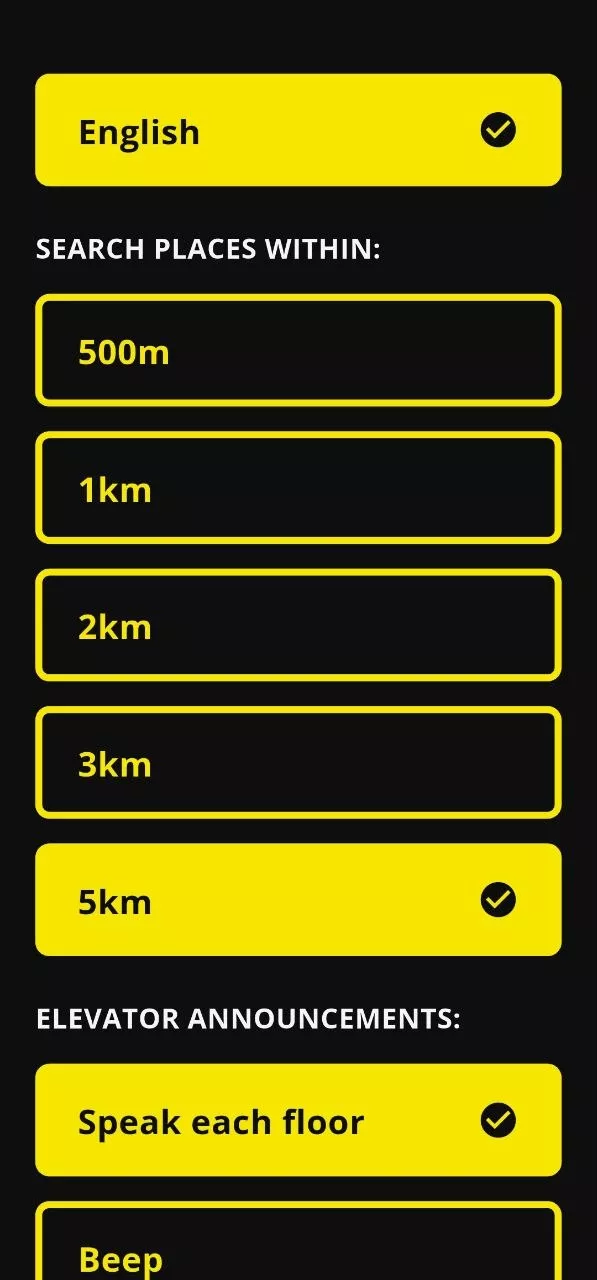
Settings screen: language set to English, search radius options from 500 metres to 5 kilometres, and elevator announcement modes.

Rolling it out to the people you serve.

Provodyr is free for the person using it. Where a group needs training, shared building profiles or reporting, we set that up with you directly.

Rehabilitation centers Train a cohort at once, and keep the elevator profiles of your own building calibrated for everyone who visits.
Veterans programs Support members adapting to vision loss with a tool that works on the phone they already carry.
Employers Give a blind colleague the same access to printed handouts, signage and unfamiliar floors as everyone else.

Put a guide in every pocket.

Coming to iOS and Android, free for the person using it.